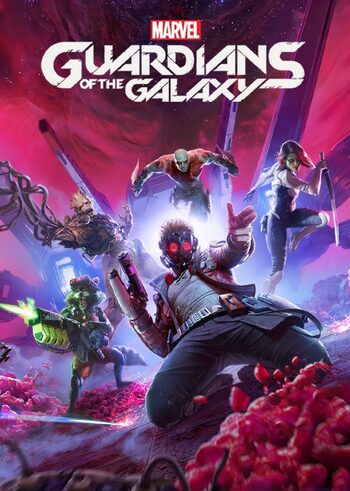
Marvel´s Guardians of the Galaxy ‖ Steam ‖ Global
Content: text (0 symbol)
Available: 1
Uploaded: 07.03.2026
Positive responses: 0
Negative responses: 0
Sold: 0
Refunds: 0
$7.79

🎮 After payment, the key is issued automatically—no waiting time or seller involvement.
The key immediately appears in the "Your Purchases" section on Plati after successful payment.
All keys are genuine, obtained from official sources, and undergo internal verification before being uploaded to the auto-issuance system.
Activation is performed through the official Steam client.
It is recommended to activate the key immediately after purchase.
⚙️ Terms and Security
The key is provided once and only to the buyer.
Refunds or replacements are possible only if the seller´s error is confirmed.
Returns are not possible after successful activation.
In the event of a dispute, the buyer must provide proof from Steam:
📷 A screenshot from the Steam client showing the activation error message.
📷 A screenshot from your Steam purchase/activation history showing the time and date of the activation attempt.
📷 A screenshot from your Steam game library confirming the presence or absence of the game.
📩 If necessary, an official response from Steam support indicating the date and time of key activation, if earlier.
Verification is impossible without this information.
The key immediately appears in the "Your Purchases" section on Plati after successful payment.
All keys are genuine, obtained from official sources, and undergo internal verification before being uploaded to the auto-issuance system.
Activation is performed through the official Steam client.
It is recommended to activate the key immediately after purchase.
⚙️ Terms and Security
The key is provided once and only to the buyer.
Refunds or replacements are possible only if the seller´s error is confirmed.
Returns are not possible after successful activation.
In the event of a dispute, the buyer must provide proof from Steam:
📷 A screenshot from the Steam client showing the activation error message.
📷 A screenshot from your Steam purchase/activation history showing the time and date of the activation attempt.
📷 A screenshot from your Steam game library confirming the presence or absence of the game.
📩 If necessary, an official response from Steam support indicating the date and time of key activation, if earlier.
Verification is impossible without this information.
1.Download and install the Steam program if you have not already installed it.http://steampowered.com/download/SteamInstall.msi
2. Register an account in the Steam program. If you already have an account, please log into it in the Steam program.
3.Open the paid product in the My purchases section, or by email. mail specified during purchase. Copy the key.
4.In the steam program, in the lower left corner, click "Add game" - "Activate in steam ...", insert the key that you bought on Steam-account.ru, click "Next". The game is activated on your Steam account and will be assigned to it forever.
5.In the Steam program, in the "Library" section, you will see the purchased game. It can be automatically downloaded from the official steam servers to your PC, and start playing.
6.After purchase, please leave a review
2. Register an account in the Steam program. If you already have an account, please log into it in the Steam program.
3.Open the paid product in the My purchases section, or by email. mail specified during purchase. Copy the key.
4.In the steam program, in the lower left corner, click "Add game" - "Activate in steam ...", insert the key that you bought on Steam-account.ru, click "Next". The game is activated on your Steam account and will be assigned to it forever.
5.In the Steam program, in the "Library" section, you will see the purchased game. It can be automatically downloaded from the official steam servers to your PC, and start playing.
6.After purchase, please leave a review
No feedback yet